
-
×
 STM32F103C8T6 Development Board + ST-LINK V2 Emulator Simulator Programmer
1 × 3.500ر.ع.
STM32F103C8T6 Development Board + ST-LINK V2 Emulator Simulator Programmer
1 × 3.500ر.ع. -
×
 Arduino CNC kit (1)
1 × 14.000ر.ع.
Arduino CNC kit (1)
1 × 14.000ر.ع. -
×
 ECG Electrode Patches (50 pcs)
1 × 5.800ر.ع.
ECG Electrode Patches (50 pcs)
1 × 5.800ر.ع. -
×
 Mounting Bracket for Ultrasonic Sensor HC-SR04
1 × 0.600ر.ع.
Mounting Bracket for Ultrasonic Sensor HC-SR04
1 × 0.600ر.ع. -
×
 Pocket AVR Programmer (SparkFun)
1 × 5.000ر.ع.
Pocket AVR Programmer (SparkFun)
1 × 5.000ر.ع. -
×
 Raspberry Pi Wireless Keyboard 1
1 × 7.000ر.ع.
Raspberry Pi Wireless Keyboard 1
1 × 7.000ر.ع. -
×
 USB-SD MP3 Shield for Arduino
1 × 7.000ر.ع.
USB-SD MP3 Shield for Arduino
1 × 7.000ر.ع. -
×
 Tiny AVR Programmer (SparkFun)
1 × 6.500ر.ع.
Tiny AVR Programmer (SparkFun)
1 × 6.500ر.ع. -
×
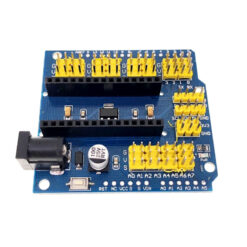 Arduino Nano Expansion Shield V3.0
1 × 3.000ر.ع.
Arduino Nano Expansion Shield V3.0
1 × 3.000ر.ع. -
×
 Arduino USB Host v1.5 shield
1 × 4.300ر.ع.
Arduino USB Host v1.5 shield
1 × 4.300ر.ع. -
×
 Arduino Uno R3
1 × 5.000ر.ع.
Arduino Uno R3
1 × 5.000ر.ع.
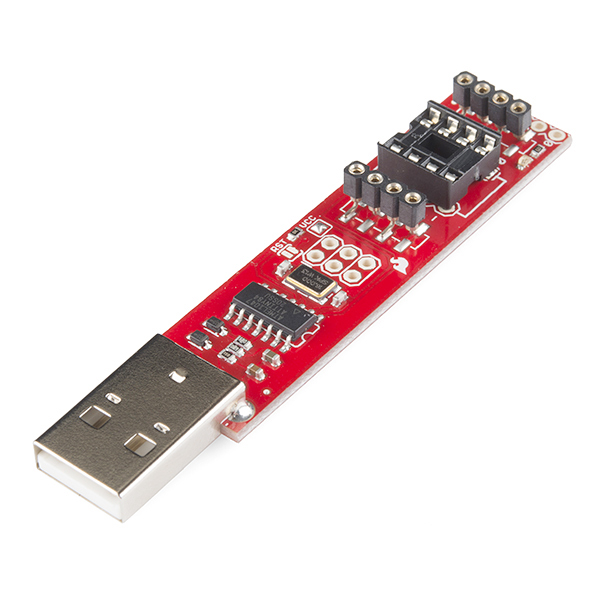
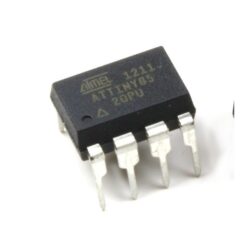
The ATtiny45 and 85 are a couple of really cool little MCUs but did you know you can program them in Arduino? That’s right, now you can shrink your Arduino projects down to “tiny size” by moving your code straight over to these small but capable ICs. The standard method for programming the ATtiny ICs involves a breadboard, lots of jumper wires and a hardware programmer, but David Mellis over at MIT Media Lab has simplified the process by laying out this handy USB programmer.
The Tiny AVR Programmer plugs directly into your USB port and provides a programming socket for the ATTiny45 and 85. Just slot an ATtiny with a DIP footprint into the socket, plug the programmer into your USB port and start up the Arduino IDE. After installing the proper board definitions, you simply program it the same way you would any other Arduino board. The programmer even breaks out the IC pins to female headers so you can easily prototype around the ATtiny without pulling and plugging it over and over. There are two ISP headers that have also been broken out so you can use the programmer or solder in a 6-pin header for other AVR microcontrollers!
Note: You’ll need to install the USBTinyISP drivers.
Be the first to review “Tiny AVR Programmer (SparkFun)”
You must be logged in to post a review.
You may also like…
Out of stock
Related products

Out of stock
Out of stock
Sale!

Out of stock
Development Boards & Controllers
Original price was: 11.250ر.ع..9.000ر.ع.Current price is: 9.000ر.ع..

Out of stock

Out of stock
Sale!
Development Boards & Controllers
Original price was: 6.500ر.ع..5.000ر.ع.Current price is: 5.000ر.ع..

Out of stock
Reviews
There are no reviews yet.